

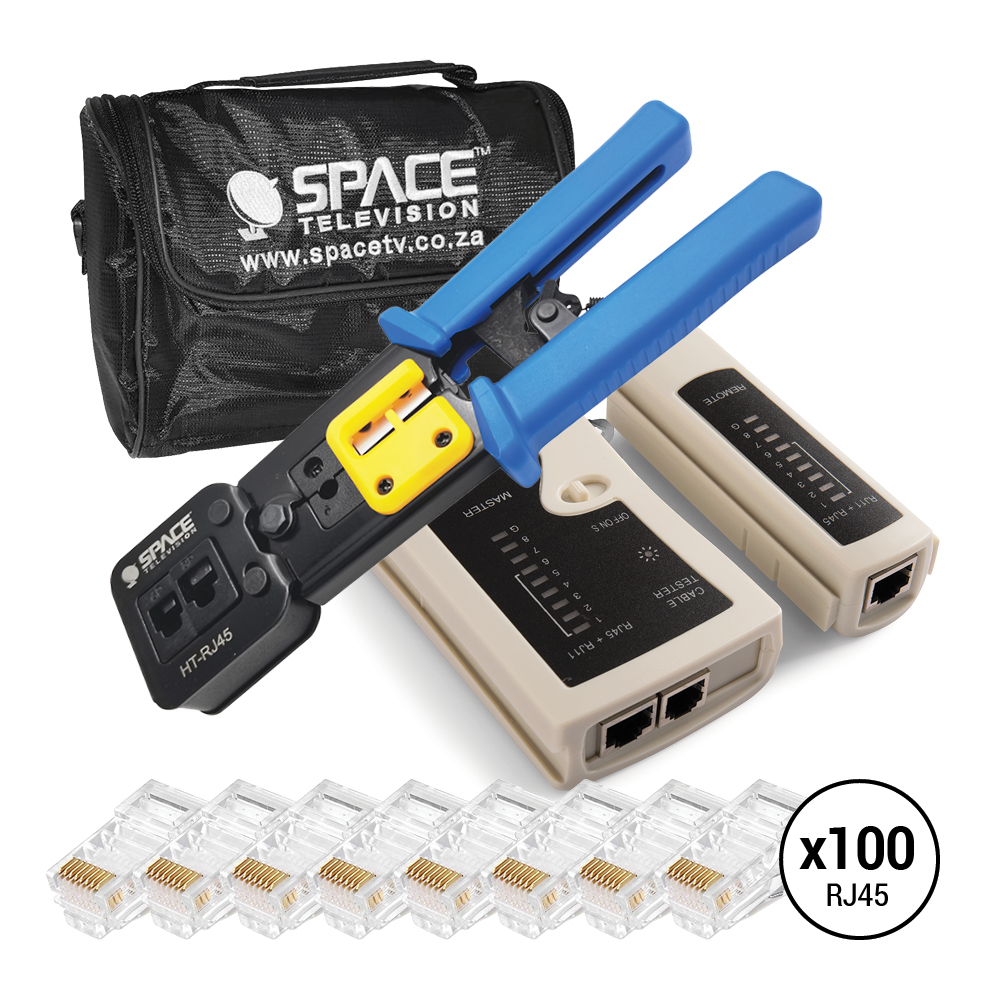


Equip yourself for network cable installation, termination and testing with the NETWORK04 RJ45 Network Installer Tool Kit. This comprehensive bundle combines a Cat5/Cat5e/Cat6 RJ45 crimping tool, LAN/USB cable tester, 100 RJ45 connectors and installer tool bag, giving technicians and DIY users the essential tools needed for common Ethernet networking projects.
Whether you’re making custom network cables, terminating RJ45 connectors, testing completed cable runs or keeping your networking tools organized, this convenient bundle brings the core installation equipment together in one package.
Perfect for:
• Network and IT technicians
• CCTV and data cable installers
• Cat5, Cat5e and Cat6 cable installations
• Making custom-length Ethernet network cables
• RJ45 connector termination and crimping
• LAN cable testing and troubleshooting
• Home and office network installations
• Professional installers and DIY networking projects
Features:
• RJ45 Crimping Tool: Designed for terminating compatible RJ45 network connectors
• Cat5/Cat5e/Cat6 Applications: Suitable for common Ethernet network cable installation projects
• 100 RJ45 Connectors Included: Convenient bulk quantity for multiple cable terminations
• LAN/USB Cable Tester: CF-168 tester for checking compatible LAN and USB cabling
• Installer Tool Bag: Helps keep networking tools and accessories organized and easy to transport
• All-in-One Installer Bundle: Crimping, testing, connectors and storage supplied together
• Ideal for Field Work: Convenient combination for technicians working across multiple installation sites
• Crimper Model HT-RJ45: Dedicated Cat5/5e/6 RJ45 crimping tool
• Tester Model CF-168: LAN/USB cable tester for compatible cable testing
Benefits:
• Provides essential network installation tools in one convenient bundle
• Makes it easier to create and terminate custom Ethernet cables
• 100 included RJ45 connectors provide stock for multiple networking projects
• Cable tester helps identify connection and wiring issues after termination
• Tool bag keeps equipment organized between installations
• Suitable for professional installers, technicians and home networking projects
• Reduces the need to purchase core networking tools and connectors separately
• Useful for installations, maintenance, troubleshooting and repairs
Usage Tips:
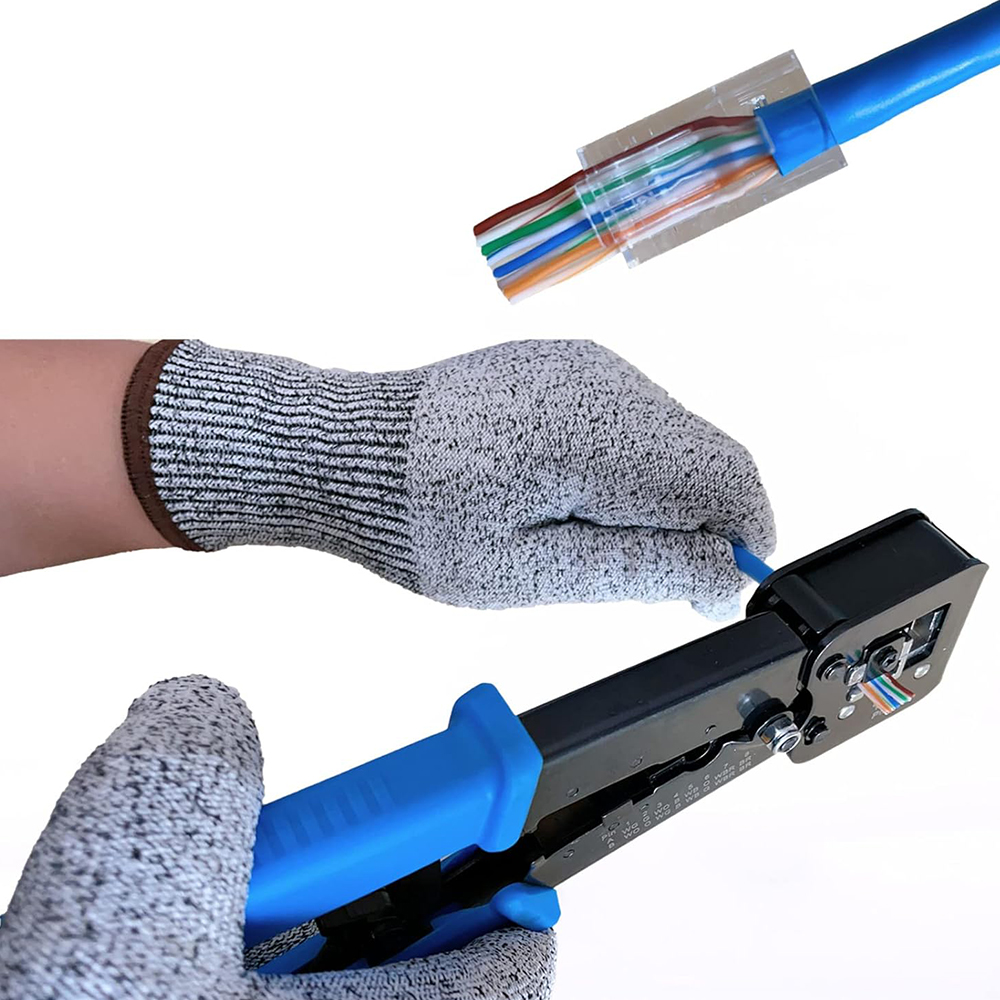
• Confirm the network cable and RJ45 connector type are compatible before crimping
• Arrange conductors according to the required wiring standard before inserting them into the connector
• Ensure each conductor reaches the correct position inside the RJ45 plug before crimping
• Use the crimping tool firmly to secure the connector
• Test newly terminated network cables before putting them into service
• Keep spare RJ45 connectors and tools organized inside the supplied installer bag
• Replace damaged connectors rather than reusing previously crimped plugs


